
Switching to Formfy saved our front desk hours every week. Patients now complete the intake at home, arrive ready, and we've cut typed-in transcription errors to zero. It's the most secure way we've ever collected paperwork.
RELOAD THERAPY
Angie I.

Easily Send + Receive
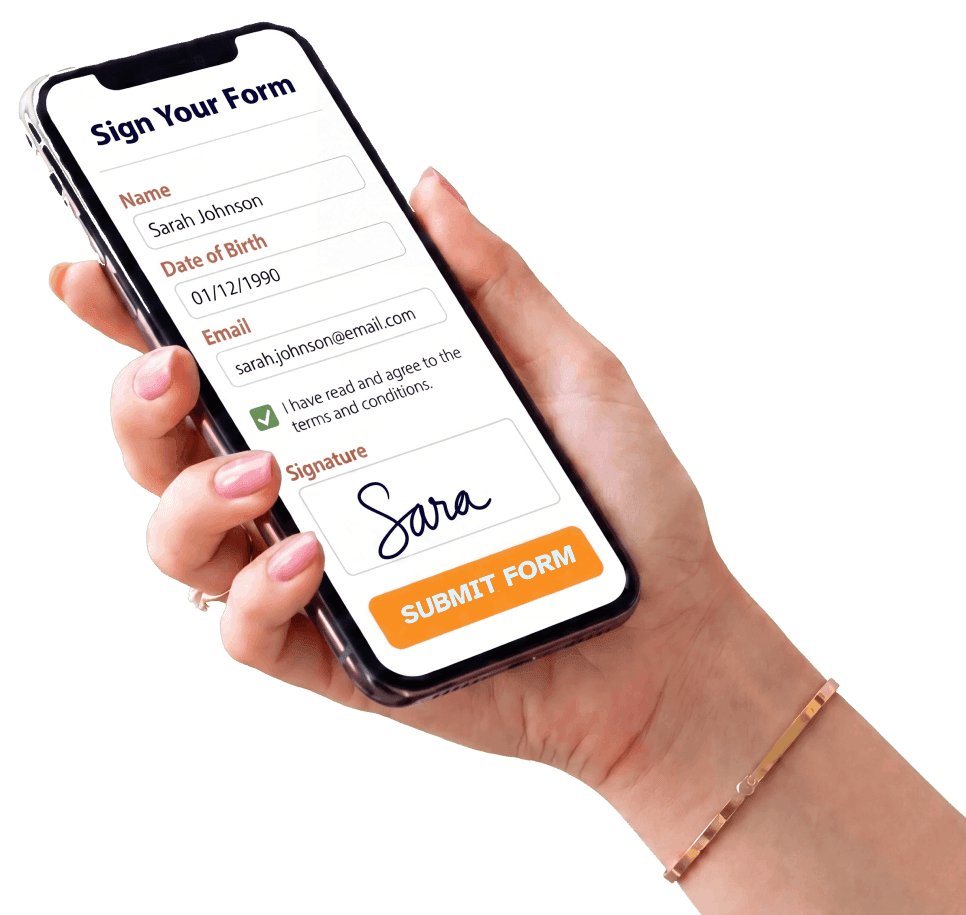
Formfy gives your practice everything you need to easily send and receive HIPAA compliant forms online. Patients sign and submit completed forms securely from any device.
Track patient progress, send automated reminders, and receive completed intake forms before every appointment.
Schedule a CallTrusted by over 7000 providers
Mobile-friendly HIPAA compliant forms your patients can complete from any device, anywhere. Need non-healthcare waivers? See Formfy's AI Waiver Generator.

Describe the patient form you need in plain English. Copilot drafts fields, NPP acknowledgments, HIPAA authorization clauses, and signature blocks in seconds.
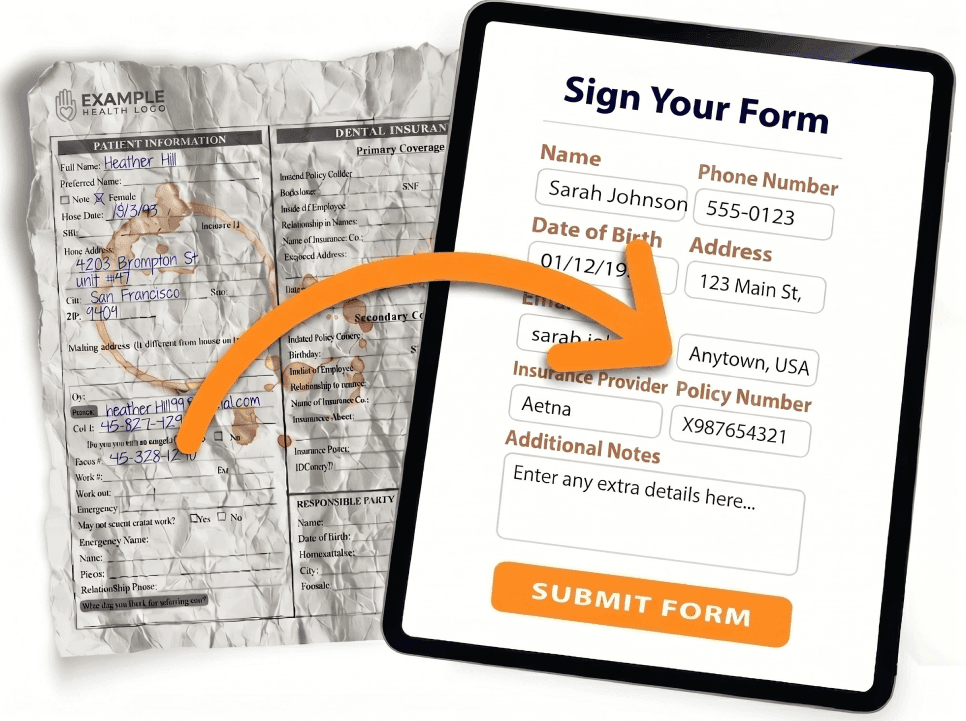
Drop in any PDF intake packet, scanned form, or Word doc. AI extracts every field and rebuilds it as a live HIPAA-aligned e-signature workflow on any device.
Text a secure link by SMS, email, or share a QR code for in-clinic check-in. The patient opens it in their browser over HTTPS, signs, and submits — before they walk into the exam room.
Instant SMS and email notifications the moment a patient signs an intake, consent, or HIPAA authorization. One dashboard tracks every submission, sends reminders, and stores every signed document with a tamper-evident audit trail.
Deliver by SMS, email, or shareable link. Print a QR code on appointment cards, lobby signage, or pre-visit emails. Meet every patient exactly where they are — phone, tablet, or kiosk.
Design your perfect HIPAA-aligned intake packet with AI, then send it to every new patient. Reusable templates, multi-signer parent / guardian workflows, and copay collection built in.
Create HIPAA-aligned patient forms in seconds with AI.
Intake forms, consents, and HIPAA authorizations — signed and sent by SMS or email.
Better patient forms. Less friction at check-in. Happier clinical teams.
Stop pasting from generic intake templates. Our AI Copilot generates Notice of Privacy Practices acknowledgments, Authorization for Release of PHI sections, and consent language aligned with your practice and specialty.
Text the patient form link directly to your patient’s phone. They open it, read, and sign before they arrive — no clipboards in the lobby, no PHI sitting on shared paper.
Every signed authorization captures timestamps, IP addresses, and a certificate of authenticity. Legally-binding e-signatures under the ESIGN Act, UETA, and eIDAS — with a verifiable chain of custody for every PHI disclosure.
Upload your existing PDF intake packets or let AI build new ones. Every submission is stored digitally, searchable instantly, and backed up automatically. Retire the filing cabinet at the front desk.
Patients arrive having already completed intake — not staring at a clipboard for 15 minutes in the waiting room. Your front desk welcomes people instead of chasing paperwork.
Built-in multi-signer workflows for parent and legal-guardian authorization. Require proper signatory chain before treating a minor — with a full audit trail for every consent and HIPAA authorization.
From blank page to signed HIPAA-aligned patient form in four steps.
Tell the AI about your practice — “dermatology clinic offering Mohs surgery and cosmetic procedures” — and it knows exactly what HIPAA acknowledgments and consents you need.
AI Copilot builds your patient form with HIPAA-aligned language — Notice of Privacy Practices, Authorization for Release of PHI, telemedicine consent — ready for clinician review and publishing.
Send the patient form link directly to your patient’s phone via SMS. They tap, open it in their browser — no app download, no clipboard handoff.
Patient signs on their phone with a legally-binding e-signature. Full audit trail stored and searchable — done before they walk into the exam room.
Customizable, signable, trackable — without writing a line of code or installing anything in the EHR.
Pick a HIPAA-aligned template, generate one with AI, or upload your existing PDF intake packet.
Add fields, NPP acknowledgment, HIPAA authorization sections, parent/guardian flows, and your practice branding.
Deliver by SMS, email, or shareable link. Patients sign on any device in seconds — no app download.
Every signed authorization lands in one centralized dashboard with timestamps, IP logging, and a tamper-evident audit trail.
Connect Formfy to your existing stack — payments, scheduling, CRM, and more.
Stripe & PayPal built in. Collect deposits, session fees, or full payments inline.
Built-in booking forms with availability management and automated confirmations.
Push submissions to any CRM, database, or workflow tool in real time.
Deliver forms directly to clients via text message, email, or shareable link.
Full submission audit trail with timestamps, IP logging, and tamper-evident records.
Add team members with shared forms, centralized submissions, and role-based access.
“We switched from paper intake packets to Formfy and cut new-patient check-in from 22 minutes to under 4. Patients complete intake, NPP acknowledgment, and the HIPAA authorization on their phone before they walk in.”
HIPAA compliance for a patient form is a combination of three things: (1) the form’s content — required disclosures like the Notice of Privacy Practices acknowledgment, valid HIPAA authorization elements under 45 CFR 164.508 (description of information, recipient, expiration, signature, right to revoke); (2) how PHI is transmitted and stored — encryption in transit and at rest, access controls, audit logging; and (3) the contractual relationship with your software vendor — if the vendor handles PHI on your behalf, a Business Associate Agreement (BAA) is required. A “HIPAA template” alone is necessary but not sufficient; the operational safeguards have to be in place too.
HIPAA does not specifically prohibit electronic signatures, and the HHS Office for Civil Rights treats them as acceptable when paired with appropriate safeguards. Under the ESIGN Act and UETA, e-signatures carry the same legal weight as a wet signature when the signer’s identity is reasonably authenticated, the signing intent is captured, and an audit trail (timestamp, IP address, signer-displayed terms) is preserved. Formfy e-signatures include all of these elements. For HIPAA authorizations specifically, the form must still meet the content requirements of 45 CFR 164.508.
If you are a HIPAA Covered Entity (most healthcare providers, health plans, and clearinghouses) and your form software stores, transmits, or processes Protected Health Information on your behalf, then yes — HIPAA requires you to have a signed Business Associate Agreement with that vendor before sending PHI through it. The BAA defines permitted uses of PHI, safeguard requirements, breach notification obligations, and termination conditions. Talk to our team about your specific use case and BAA requirements before sending any PHI through Formfy.
Yes — med spa and aesthetic-practice waivers are one of the most common use cases on Formfy. Describe the treatment to the AI Copilot — for example “A liability waiver and informed consent for injectables (Botox, Dysport, dermal fillers) covering risks, bruising and asymmetry disclosure, photography release, and post-care instructions” — and it generates the full form with the right risk disclosures, photography release, post-care acknowledgment, pre-treatment health screening, and a HIPAA NPP acknowledgment when PHI is collected. Same workflow supports laser hair removal, chemical peels, microneedling, body contouring, IPL, PMU, and tattoo releases. Send by SMS or email so the patient signs before they sit in the chair.
Any form that collects Protected Health Information needs HIPAA-aligned handling. The most common ones include: new-patient intake forms (demographics + medical history), Notice of Privacy Practices acknowledgments, HIPAA Authorization for Release of PHI, telemedicine informed consent, pre-procedure / surgical consent, behavioral-health intake, medical records requests, and authorization for marketing communications. Practice-management forms like financial responsibility and no-show policies don’t require an authorization, but if they collect PHI alongside, the same safeguards apply.
A valid HIPAA authorization under 45 CFR 164.508 must include six core elements: (1) a specific description of the PHI to be released, (2) the name of the person/organization authorized to disclose it, (3) the name of the recipient, (4) the purpose of the disclosure, (5) an expiration date or event, and (6) the patient’s signature and date. It must also notify the patient of the right to revoke, the inability to condition treatment on signing (with limited exceptions), and the potential for re-disclosure. Describe the use case to Formfy’s AI Copilot — for example “Authorization to release my orthopedic records to Dr. Patel for a second opinion” — and it generates the complete form with all six required elements.
They are distinct documents. Informed consent is the patient’s agreement to receive a specific treatment or procedure after being told about the risks, benefits, and alternatives — it’s a clinical and ethical obligation. HIPAA Authorization is a separate document that gives a covered entity permission to use or disclose PHI for purposes not covered by the standard treatment, payment, and operations exceptions (TPO). For example: sending records to a personal-injury attorney, releasing records to a school, or using PHI in a marketing campaign. Many practices combine them in an intake packet, but they should be separately worded and separately signed.
Sending PHI directly inside an SMS body is not generally HIPAA-aligned because standard SMS is not encrypted in transit and is stored on the carrier. The HHS-recommended pattern is to send a secure link by SMS that, when opened, takes the patient through an authenticated browser session where the PHI is rendered over TLS. Formfy uses this exact pattern: the SMS contains a one-time link to your patient form, the patient opens it in HTTPS, and PHI never travels in the SMS body itself. You can additionally require an identity check (date of birth or last four of SSN) on the landing page.
HIPAA itself requires covered entities to retain documentation related to the Privacy Rule (including signed Notice of Privacy Practices acknowledgments and HIPAA authorizations) for a minimum of six years from the date of creation or the date the document was last in effect, whichever is later. State medical-records retention laws are often longer (e.g., 7–10 years for adults; until age 21 plus several years for pediatrics) — the controlling rule is whichever is more stringent. Formfy stores every signed submission digitally with a tamper-evident audit trail so you can produce the record on demand.
Yes. Upload your existing PDF intake packet, scanned forms, or Word docs to Formfy. The AI reads every page, extracts the questions and signature blocks, and rebuilds them as a fillable digital workflow with e-signature support. The original structure and clinical fields are preserved — you don’t have to re-type a single question. From there, you can plug in the HIPAA acknowledgments and authorization elements you want to add, and reuse the converted form for every new patient.
Describe the form you need in a sentence or two. For example: “Create a new-patient intake form for a pediatric dental practice with medical history, allergies, parent/guardian consent, and a Notice of Privacy Practices acknowledgment.” The AI Copilot generates a complete form — structured fields, the right HIPAA acknowledgment language, multi-signer flow for the parent/guardian, and an e-signature block — in under 30 seconds. Edit any section before publishing or sending to your patient.
This information is for general guidance only and does not constitute legal or compliance advice. HIPAA compliance for any specific use of patient forms depends on your practice’s configuration, the operational safeguards in place, and a signed Business Associate Agreement with your software vendor. Consult qualified HIPAA counsel for your specific situation.
Switching to Formfy saved our front desk hours every week. Patients now complete the intake at home, arrive ready, and we've cut typed-in transcription errors to zero. It's the most secure way we've ever collected paperwork.
RELOAD THERAPY
Angie I.
Before Formfy, getting a new patient's paperwork in took days. Now they finish forms before they leave the consult call. We can see new patients much faster, and the forms come back legible and complete.
SKIN SCIENCE DERMATOLOGY
Courtney M.
Formfy gives your practice everything needed to easily send and receive HIPAA compliant online forms. We help practices that: