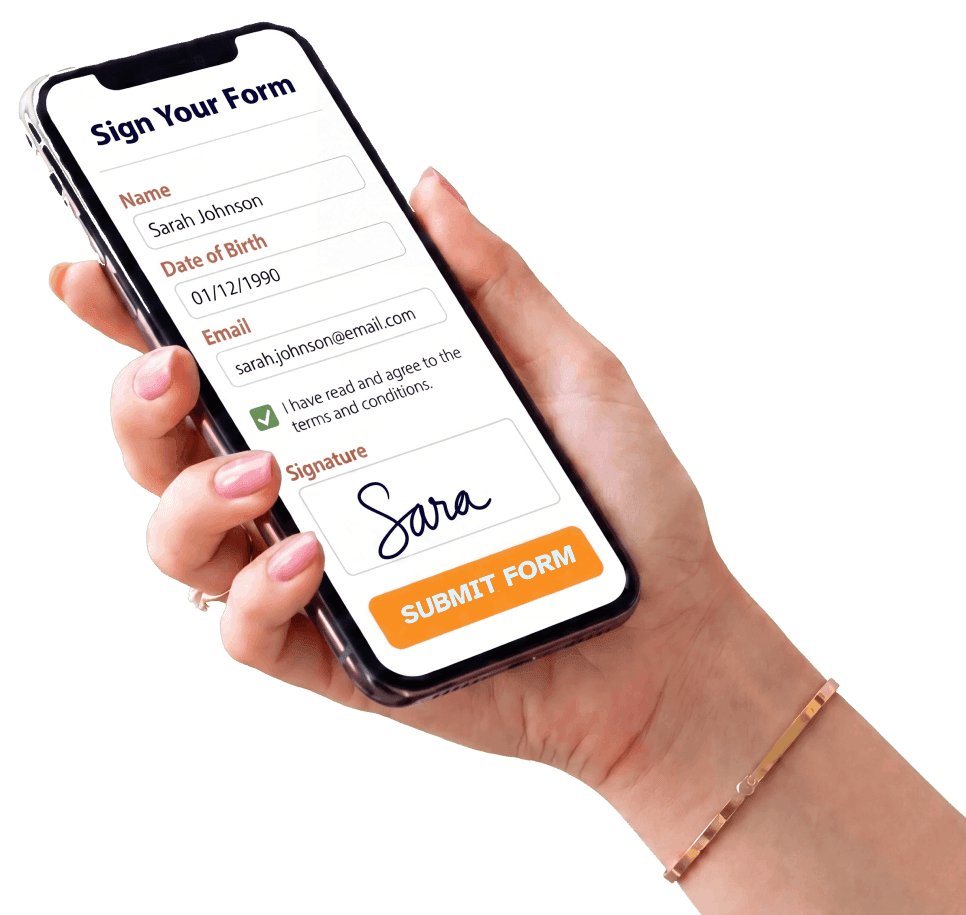
Hand holding a phone with an online form ready to sign and submit

AI Builds Your Form in Seconds. Text It Before They Arrive.

Formfy is the AI Agreement Engine for SMS-first client onboarding.

Formfy gives your team everything you need to easily send and receive forms, waivers, and contracts online. Recipients sign and submit completed documents securely from any device.

Track submission progress, send automated reminders, and receive completed agreements before every kickoff.

Create My Form With AI — Free

Trusted by over 7000 businesses

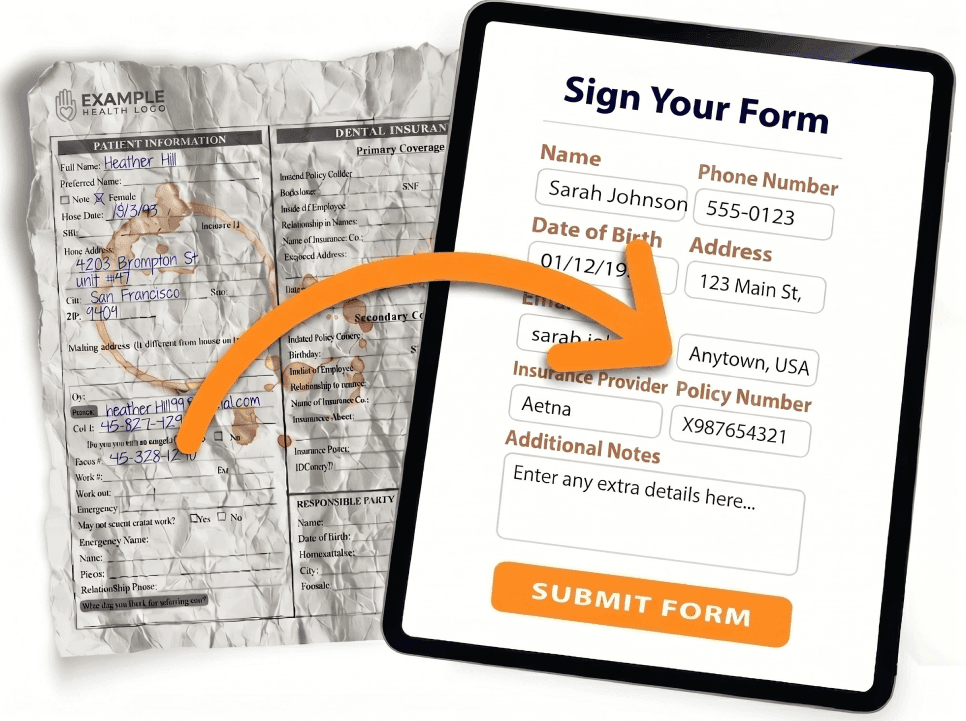
Turn your paper forms into online digital forms

  • AI Form Builder
  • Drag-and-Drop Editor
  • Mobile-Friendly Forms
  • Embed Forms on Website
  • Text (SMS) Invitations
  • Email Invitations
  • Custom QR Code
  • Works on Any Device
  • File & Photo Uploads
  • Electronic Signatures
  • Custom Thank-You Page
  • Submission Tracking
  • Print, PDF & CSV Export
  • Conditional Logic
  • Custom Branding
  • No Contracts, Cancel Anytime

Mobile-friendly online forms your team and clients can complete from any device, anywhere. A modern alternative to legacy e-signature tools.

Crumpled paper form transforming into a clean digital form on a tablet

See Formfy in action

Watch how it works in under 1 minute

A complete AI-powered form, waiver, and e-signature workflow

AI Form CopilotStart OverBuilderHi! I'm here to help you build a HIPAA-alignedpatient form. What specialty is this for, and whichvisit type will this form support?Tip: Paste existing text — intake, telemedicine consent, HIPAA authorization.TRY AN EXAMPLEPatient intakeTelemedicineHIPAA authRecords requestNPP ackPre-Op ConsentInjectablesMed SpaPediatricCreate a new-patient intake form for a primary-carepractice with medical history, insurance, allergies,medications, and HIPAA NPP acknowledgment.105/3000

Generate forms, waivers, and contracts with AI Copilot

Describe the form you need in plain English. Copilot drafts fields, consent clauses, liability waivers, policy language, and signature blocks in seconds.

Drag & DropPDFFirst nameLast nameE-mail addressAddressCitySubjectSignature

Upload & convert your existing PDFs and paperwork

Drop in any PDF contract, waiver, scanned form, or Word doc. AI extracts every field and rebuilds it as a live e-signature workflow on any device.

Sign Your FormNameSarah JohnsonDate of Birth01/12/1990Emailsarah.johnson@email.comI have read and agree to theterms and conditions.SignatureSIGN FORM BY SMS

Send by SMS to any device

Text a secure link by SMS, email, or share a QR code for on-site check-in. The signer opens it in their browser over HTTPS, signs, and submits — from their phone, tablet, or laptop.

9:41THURSDAY, APRIL 16FFORMFYnowSarah Johnson just signedPatient Intake Form · Tap to viewFFORMFY · 2m agoMarcus Chen just signedTelemedicine ConsentFORMFY · 8m agoEmily Torres signed HIPAA Authorization12 newSMS

Get notified the second a document is signed

Instant SMS and email notifications the moment a contract, waiver, or consent form is signed. One dashboard tracks every submission, sends reminders, and stores every signed document with a tamper-evident audit trail.

FORMFYSignatureSMSEMAILLINKQR CODE

Send it any way your signers prefer

Deliver by SMS, email, or shareable link. Print a QR code on flyers, signage, or follow-up emails. Meet every signer exactly where they are — phone, tablet, or kiosk.

TEMPLATEsign hereSENDSIGNSIGNSIGN

Build once. Send to everyone.

Design your perfect form or agreement with AI, then send it to every new client. Reusable templates, multi-signer workflows including parent / guardian flows, and integrated file collection built in.

Formfy AI Copilot

Build a Ready in Seconds with AI.

Create forms, waivers, and agreements in seconds with AI.
Contracts, consents, releases, and registrations — signed and sent by SMS or email.

Describe the form or agreement you need…
Sign Your Form Name Jonathan Doe Date of Birth MM/DD/YYYY Email jdoe@email.com Signature I have read and agree to the terms and conditions. Liability SUBMIT Sign Your Form Name Sarah Johnson Date of Birth 01/12/1990 Email sarah.johnson@email.com I have read and agree to the terms and conditions. Signature Sarah Johnson SIGN FORM BY SMS

Why Teams Switch to Formfy

Better forms and faster signatures. Less friction at sign-off. Happier teams and clients.

AI-Generated Form Language

Stop pasting from generic templates. Our AI Copilot drafts liability waivers, consent clauses, service agreements, and release language tailored to your business in seconds.

Send by SMS

Text the form link directly to your client’s phone. They open it, read, and sign before they arrive — no clipboards, no PDFs going back and forth by email.

Stronger Audit Trail for Every Signature

Every signed document captures timestamps, IP addresses, and a certificate of authenticity. Legally-binding e-signatures under the ESIGN Act, UETA, and eIDAS — with a verifiable chain of custody for every record.

Replace Paper and PDFs

Upload your existing PDF contracts and waivers or let AI build new ones. Every submission is stored digitally, searchable instantly, and backed up automatically. Retire the filing cabinet.

Eliminate Sign-Off Bottlenecks

Clients arrive with paperwork already completed — not waiting on a printer or scanner. Your team gets started instead of chasing signatures.

Multi-Signer & Parent/Guardian Workflows

Built-in multi-signer flows for parent and legal-guardian authorization, co-signers, and witnesses. Require the proper signatory chain on every agreement — with a full audit trail.

They love Formfy — and so do their clients

Switching to Formfy saved our team hours every week. Clients now complete agreements at home, arrive ready, and we've cut typed-in transcription errors to zero. It's the most secure way we've ever collected paperwork.

N

NORTH RIVER CONSULTING

Angie I., Operations Lead

Before Formfy, getting new client paperwork in took days. Now they finish forms before they leave the intro call. We can onboard new clients much faster, and the forms come back legible and complete.

B

BRIGHT EDGE STUDIOS

Courtney M., Founder

Frequently Asked Questions

How does Formfy's AI generate my waiver?

Describe your business — for example, 'med spa offering laser treatments' — and Formfy's AI Copilot generates a complete waiver with industry-appropriate legal language, liability clauses, assumption-of-risk statements, and consent sections. Review it, customize if needed, and publish — all in under a minute.

Does Formfy generate real legal language, or just blank fields?

Unlike most form builders that give you empty templates, Formfy's AI generates real legal language tailored to your industry. You get liability waivers, assumption-of-risk clauses, indemnification sections, and consent statements — not just blank signature boxes. You can review and edit everything before publishing.

How does SMS waiver delivery work?

After creating your waiver, send it directly to your client's phone via SMS. They receive a link, open it in their mobile browser, read the waiver, and sign — all before they walk through your door. No app download required. You get notified instantly when they sign.

Can clients sign waivers on their phone?

Yes. Formfy waivers are fully mobile-optimized. Clients tap the SMS link, review the waiver on their phone, draw or type their signature, and submit. The entire process takes under two minutes and works on any smartphone browser — iPhone, Android, or tablet.

What types of businesses use Formfy?

Formfy is built for any business that needs signed waivers or consent forms — med spas, laser clinics, fitness studios, yoga studios, martial arts schools, salons, tattoo shops, youth sports leagues, wellness practitioners, adventure companies, and more.

Can I replace my paper waivers and PDFs with Formfy?

Absolutely. Upload your existing PDF waiver and Formfy converts it into a digital form with signature fields, or let the AI generate a new one from scratch. Every submission is stored digitally with a full audit trail — no more lost paperwork, filing cabinets, or illegible handwriting.

How do guardian signatures and minor consent work?

Formfy supports multi-signer workflows including parent/guardian consent for minors. You can require a guardian signature alongside the participant's information, set up sequential signing order, and ensure proper legal authorization before any minor participates.

Does Formfy also handle e-signatures, booking, and payments?

Yes. Beyond waivers, Formfy includes DocuSign-style e-signatures compliant with the ESIGN Act and eIDAS, appointment scheduling with availability management, and payment collection through Stripe and PayPal at time of booking.

Is there a free trial?

Yes! Formfy offers a 15-day free trial with no credit card required. Create waivers with AI, send them by SMS, collect e-signatures, and test the full platform before committing. Paid plans start at $19/month.

Get Started Free

Start your free trial today and ship your first online agreement in minutes.

Start a Free Trial

Formfy gives your team everything needed to send and receive contracts, waivers, and forms online. We help businesses that:

  • Are still using paper or PDF forms for onboarding
  • Are emailing PDFs back and forth to collect signatures
  • Are spending time manually printing, scanning, or filing forms